Digital Icons for Technology and Data
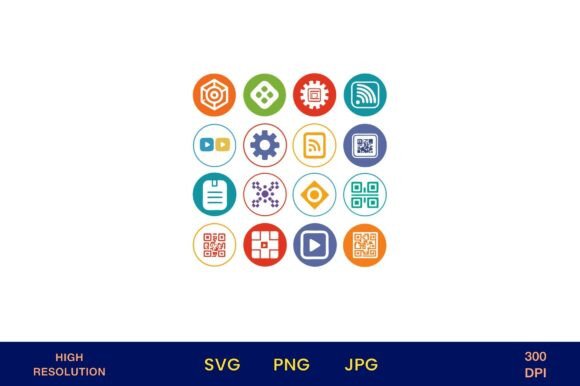
Modern digital work demands clarity, speed, and consistency—especially when communicating complex ideas like data flow, cloud infrastructure, cybersecurity, or real-time analytics. Digital Icons for Technology and Data is a purpose-built collection of flat, vector-based icons designed not just for visual appeal, but for functional precision. These aren’t decorative flourishes. They’re strategic assets: 4500px × 4500px PNGs with transparent backgrounds, 300 dpi resolution, ready to scale without degradation across print and digital contexts.
Why Intentional Icon Use Matters More Than Ever
In professional settings—from pitch decks to internal dashboards, from educator slide decks to SaaS onboarding flows—the icons you choose shape perception before a single word is read. A poorly matched or stylistically inconsistent icon can dilute credibility, slow comprehension, or even misrepresent functionality. Digital Icons for Technology and Data avoids that risk by offering a unified visual language: clean lines, balanced proportions, and intentional symbolism rooted in widely recognized tech conventions (e.g., a server rack rendered with subtle depth, not cartoonish exaggeration; a database icon that signals structure, not just storage).
This isn’t about “making things look nice.” It’s about reducing cognitive load. When your audience sees a consistent, well-designed icon set representing APIs, encryption, IoT devices, or data pipelines, they map meaning faster—and retain it longer. That supports learning outcomes for students, accelerates stakeholder alignment in cross-functional teams, and strengthens brand coherence across touchpoints.
Strategic Use Cases Across Roles and Outcomes
The value of Digital Icons for Technology and Data emerges most clearly when matched to specific goals—not generic decoration. Consider these grounded applications:
- Entrepreneurs & SaaS founders: Use icons to visually differentiate feature tiers in pricing pages or clarify technical capabilities in investor decks—without relying on jargon-heavy explanations.
- Educators & trainers: Embed icons into lesson plans, infographics, or LMS modules to scaffold abstract concepts (e.g., pairing a “data lake” icon with a concise definition and real-world analogy).
- Marketers & content creators: Maintain visual continuity across social carousels, email headers, and webinar slides—reinforcing topic focus while keeping production time low.
- Freelancers & designers: Accelerate client deliverables by using pre-vetted, scalable assets instead of redrawing or licensing disparate icons mid-project.
- Small business owners: Apply icons thoughtfully to printed materials—like service menus for IT support firms or step-by-step setup guides for smart-home installers—to improve scannability and reduce support queries.
Note: The inclusion of transparent-background PNGs at high resolution means these icons integrate cleanly into layered designs—whether you’re overlaying them on branded gradients, placing them on photo backgrounds for social posts, or printing them sharply on premium stationery or signage.
Planning Your Implementation—Not Just Downloading
Downloading Digital Icons for Technology and Data is the first step. Using them effectively requires deliberate planning. Ask yourself:
- What outcome am I trying to support? Is it faster user onboarding? Clearer internal documentation? Stronger visual identity in a competitive niche? Let the goal drive selection—not aesthetics alone.
- Where will this icon appear—and how much context will surround it? An icon used solo on a mobile app tab needs stronger universal recognition than one paired with descriptive text in a printed guide. Match symbol clarity to environment.
- Does it align with existing visual systems? If your brand uses rounded corners and soft shadows, a stark geometric icon may clash—even if technically “correct.” Consider subtle post-download adjustments (e.g., adding a matching stroke or opacity layer) to harmonize tone.
- Will usage scale consistently? Avoid picking one icon for “cloud” and another for “server” if both represent backend infrastructure in your messaging. Consistency builds mental models. Use the full set intentionally—not as isolated elements.
For example, a digital literacy nonprofit might use the “data visualization” and “algorithm” icons side-by-side in a workshop handout—not to impress, but to anchor discussion around how raw data becomes insight. That’s strategic reuse: minimal assets, maximum conceptual leverage.
Risks of Context-Free Usage
Icons are powerful—but only when anchored in meaning. Using Digital Icons for Technology and Data without clear intent carries quiet risks:
- Misalignment with audience understanding: An icon representing “blockchain” may communicate security to developers but confusion to general consumers. Test with representative users before scaling.
- Visual fatigue: Overloading slides or dashboards with icons—even high-quality ones—distracts more than informs. Prioritize signal over ornamentation.
- Brand dilution: Dropping icons into marketing assets without checking color contrast, sizing hierarchy, or spacing guidelines weakens professionalism. One inconsistent icon can undermine otherwise strong design work.
- Operational friction: Assuming all team members understand icon meanings leads to miscommunication—especially in global or cross-departmental projects. Pair icons with brief labels where ambiguity is possible.
These aren’t flaws in the asset—they’re reminders that tools serve strategy, not the reverse.
Long-Term Value Beyond the First Download
Unlike trend-dependent design elements, well-executed tech icons have multi-year utility. The Digital Icons for Technology and Data collection is built for longevity: neutral color neutrality (works with any palette), scalable vector foundation, and symbols grounded in enduring concepts—not fleeting UI fads.
That means you’re not buying a one-off graphic. You’re investing in a reusable component system. Update your website? Reuse the same “analytics” icon across new sections. Launch a training program next year? Pull the “API integration” icon into updated materials—no redesign needed. Expand into a new market? Adapt icons with localized text overlays instead of commissioning new illustrations.
For freelancers and agencies, this translates to faster quoting, tighter margins, and repeatable workflows. For educators and nonprofits, it means sustainable resource development—less time sourcing, more time teaching or serving.
Final Strategic Guidance
Before you download Digital Icons for Technology and Data, pause and define your first real use case—not the flashiest, but the most consequential. Is it clarifying a confusing process for clients? Making internal documentation more accessible? Strengthening visual cohesion in a product launch campaign?
Then, start small. Select three icons that directly support that goal. Apply them consistently across one deliverable. Review: Did they improve clarity? Did stakeholders interpret them as intended? What adjustments would increase precision?
That iterative, outcome-focused approach separates tactical execution from strategic advantage. Digital Icons for Technology and Data gives you the raw material. Your discipline in applying it—grounded in goals, tested in context, refined over time—is what delivers measurable results.
Remember: The highest-value digital assets aren’t those you collect, but those you use with intention—and reuse with confidence.