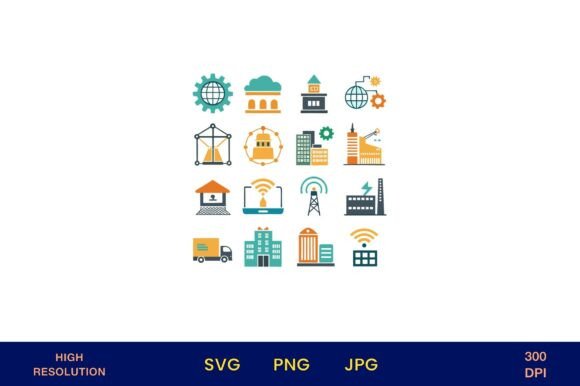
Smart City Icons and Technology Symbols
Whether you're designing a municipal awareness campaign, illustrating a tech startup pitch deck, or crafting an educational handout on urban innovation, Smart City Icons and Technology Symbols delivers instantly usable, high-fidelity visuals that communicate complex ideas with clarity and polish. This isn’t just another icon pack—it’s a thoughtfully curated collection of modern vector illustrations focused exclusively on smart city concepts: IoT sensors, connected traffic systems, green energy grids, data dashboards, autonomous transit, digital twin interfaces, and more—all rendered as crisp, scalable PNGs with transparent backgrounds.
Why precision matters in visual communication about cities and technology
Icons shape how people understand abstract systems. A generic “cloud” icon might suggest computing—but it won’t convey urban data infrastructure. A stylized lightbulb implies innovation, but not necessarily adaptive street lighting powered by real-time pedestrian flow analysis. That’s where Smart City Icons and Technology Symbols stands apart: each illustration reflects actual smart city components—not conceptual metaphors. You’ll find icons for 5G-enabled kiosks, air quality monitoring stations, smart waste bins with fill-level indicators, and even civic engagement platforms. These aren’t decorative flourishes; they’re functional tools for accurate, respectful representation of real-world urban tech.
Save time without sacrificing nuance
Designers and educators often spend hours searching, editing, or redrawing icons to match project-specific context—especially when explaining layered topics like interoperability standards or edge computing in municipal networks. With Smart City Icons and Technology Symbols, you get one-click access to 4500px × 4500px, 300 dpi PNGs—large enough for print signage, exhibition banners, or high-res presentations, yet clean and optimized for web use. Because backgrounds are fully transparent, you can drop them directly onto maps, infographics, slide decks, or branded templates without clipping masks or layer adjustments. No need to trace, recolor, or resize from low-res sources. For a city planner preparing a community workshop handout—or a university lecturer building a lecture module on sustainable infrastructure—this eliminates repetitive prep work while preserving technical fidelity.
Support diverse creative workflows—without licensing friction
The versatility lies in how seamlessly these icons integrate across domains. A sustainability blogger can use the solar grid icon alongside policy commentary in a newsletter graphic. A wedding stationer might incorporate the “smart park” or “digital wayfinding” symbol into a botanical-themed bridal shower invitation—subtly nodding to the couple’s shared interest in urban design. A photographer documenting smart mobility pilots can embed relevant icons into client-facing project summaries. Even small business owners launching eco-tech consulting services can apply icons to proposal decks, social media carousels, or printed service menus—reinforcing expertise through consistent, professional visuals.
This flexibility is reinforced by broad usage rights. Unlike subscription-based libraries with restrictive commercial clauses, Smart City Icons and Technology Symbols permits use across physical and digital outputs: mugs, posters, planners, t-shirts, scrapbooking kits, seating charts, Save the Date cards, and branding assets—even for client projects. There’s no attribution requirement, no per-use fee, and no expiration. It’s a one-time download that stays in your toolkit.
Who benefits most—and why
Professionals in public sector communications gain immediate value: creating accessible materials for non-technical audiences without oversimplifying. A transit authority updating its rider app interface can test icon legibility at small sizes using these assets before final development. Educators and curriculum designers appreciate the pedagogical clarity—icons serve as visual anchors in lesson plans about climate-resilient infrastructure or data ethics in governance. Freelance designers and marketers working with startups, NGOs, or municipal contractors find these icons accelerate mockup iterations and client alignment. And hobbyists and makers exploring urban tech themes—from Arduino-based sensor displays to DIY smart garden installations—can illustrate their builds with technically grounded symbols instead of generic clip art.
Realistic fit considerations
While highly adaptable, Smart City Icons and Technology Symbols works best when your goal is clear, concept-driven communication—not photorealistic simulation. These are symbolic, vector-based interpretations—not 3D renders or animated UI elements. If you need interactive SVGs for a live dashboard or motion graphics for a video explainer, this collection serves as a strong foundation but may require additional development. Similarly, while the set covers core smart city domains (mobility, energy, environment, governance, connectivity), it doesn’t include niche subcategories like quantum-secured municipal networks or AI-powered predictive policing interfaces—topics requiring domain-specific consultation and ethical review before visualization.
Also note: this is a digital-only product. You receive files—not printed cards, stickers, or physical samples. That means full control over output quality and customization, but also responsibility for color calibration, bleed settings, and substrate testing if printing professionally. For crafters using home printers, the 300 dpi resolution ensures sharp results on cardstock or sticker paper; for commercial printers, the large canvas size accommodates large-format applications without upscaling artifacts.
Thoughtful integration starts with intention
Icons don’t replace explanation—they focus attention. When used deliberately, Smart City Icons and Technology Symbols helps bridge knowledge gaps between technical stakeholders and community members. Imagine a neighborhood association using the “real-time flood sensor” icon alongside bilingual signage near a newly installed stormwater system—not to explain the sensor’s firmware, but to signal responsiveness and transparency. Or a university outreach team placing the “open data portal” icon on a flyer inviting residents to explore local air quality trends. In both cases, the icon acts as a visual shorthand that invites curiosity rather than assuming prior knowledge.
That balance—between accuracy and accessibility—is what makes this collection especially useful for mission-driven work. Whether you’re advocating for equitable broadband access, visualizing carbon reduction pathways, or designing inclusive civic tech training, having icons rooted in real-world implementation helps ground your message in substance—not just style.
Getting started is straightforward
After download, organize the PNGs in a dedicated folder labeled by theme (e.g., “Mobility,” “Energy,” “Governance”) for quick retrieval. Test a few icons at different sizes: zoom in to check line clarity at 200%, then shrink to 10% to assess silhouette recognition. Try layering one over a subtle texture or gradient background to see how the transparency interacts with your layout. Most importantly—use them as prompts. Let the “smart water meter” icon spark a discussion about conservation behavior change. Let the “AI traffic optimizer” symbol open space for questions about algorithmic accountability. The strongest visuals don’t just decorate—they invite deeper engagement.