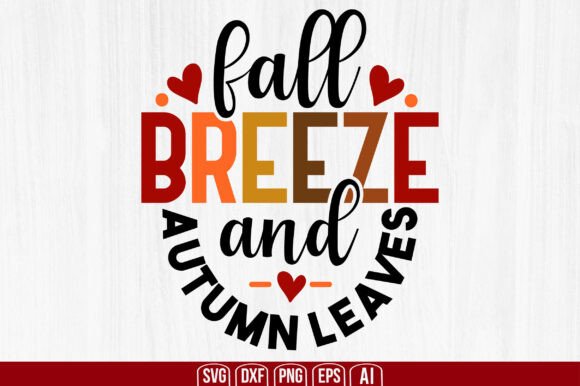
Fall Breeze and Autumn Leaves SVG: Your All-in-One Digital Craft Resource
There’s something quietly magical about the first crisp morning of autumn—the scent of damp earth, the rustle of dry maple leaves underfoot, the way golden light slants through thinning branches. That feeling is what Fall Breeze and Autumn Leaves SVG captures—not just visually, but functionally. This isn’t a decorative image you scroll past and forget. It’s a purpose-built digital toolkit designed for makers who want authenticity, flexibility, and speed in their seasonal projects.
What You Actually Get (No Guesswork, No Surprises)
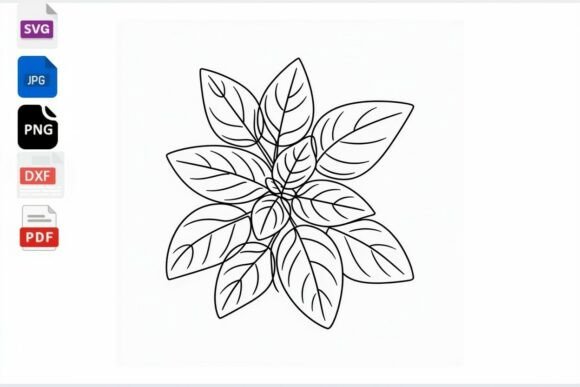
Your purchase delivers one neatly organized .zip file—digital download only. There’s no shipping, no waiting, no physical product. Just instant access to five industry-standard file formats, each serving a distinct role in your creative workflow:
- SVG File — The universal language of modern cutting machines. Fully compatible with Cricut Design Space and Silhouette Studio, it retains layers, grouping, and transparency for precise cuts and layered designs.
- PNG File — High-resolution (300 DPI), transparent-background raster version. Ideal for print-on-demand, social media graphics, sublimation mockups, or adding to Canva layouts without background clutter.
- EPS File — Vector-based and scalable without quality loss. Perfect for professional print shops, large-format signage, or when handing off artwork to designers using legacy software.
- DXF File — A staple for laser cutters, CNC routers, and vector-based CAD workflows. Ensures clean, toolpath-ready outlines—especially useful for wood signs, acrylic ornaments, or engraved keepsakes.
- AI File — Native Adobe Illustrator format (.ai), fully editable with live text, ungrouped paths, and layer structure intact. Essential if you’re refining colors, adjusting leaf density, or integrating into branded marketing assets.
No upsells. No hidden fees. No “basic” vs. “premium” tiers. What you see is what you get—and every file is hand-optimized, not auto-converted. That means crisp edges at any size, consistent stroke weights, and intentional spacing between elements so your cutting mat doesn’t turn into a puzzle board.
Why Format Variety Matters More Than You Think
Imagine this: You start with a Cricut project—a wooden fall wreath for your front door. You open the SVG, resize it to fit your 12"x12" mat, and cut cleanly. Then, on a whim, you decide to turn that same design into a heat-transfer vinyl shirt for your local farmers’ market booth. The PNG works instantly in your sublimation software—but only because it’s been pre-optimized for RGB color fidelity and edge clarity.
Later, you pitch a seasonal campaign to a small café. Their printer requires EPS for business cards and window decals. You send it. No reformatting. No back-and-forth. And when the café owner asks, “Can we add our logo beside the leaves?”—you open the AI file, drop in their vector logo, adjust alignment, and export a new PDF in under two minutes.
This level of cross-platform readiness isn’t accidental. It’s built into the DNA of Fall Breeze and Autumn Leaves SVG. Each file is tested—not just opened—in its target environment: Silhouette Studio v5.4+, Cricut Design Space (web and iOS), Inkscape 1.3+, Photoshop CC 2023+, and Illustrator 2024. No broken paths. No missing fonts. No surprise rasterization.
Real Projects, Real Time Savings
Here’s where practicality meets seasonality:
- Home Decor That Doesn’t Collect Dust — Cut the SVG onto balsa wood or birch plywood for framed wall art. Use the DXF to engrave subtle leaf patterns into ceramic coasters. Layer the PNG over linen pillow mockups for Instagram-ready listings—no photography studio needed.
- Small-Business Branding, Done Right — Add the EPS to your holiday email newsletter header. Drop the AI version into your brand style guide as a seasonal accent element. Use the SVG’s grouped layers to quickly recolor leaves from burnt orange to deep plum for a Halloween pivot—then back again for Thanksgiving.
- Classroom & Community Crafting — Teachers love the PNG for printable coloring pages (just add “Trace the outline” instructions). Youth groups use the DXF with low-power lasers to make leaf-shaped bookmarks. The SVG’s simplicity makes it beginner-friendly—even middle schoolers can drag, resize, and cut without crashing software.
And because all files are delivered in one zip, there’s zero version confusion. No hunting for “AutumnLeaves_FINAL_v3.svg” buried in a cloud folder. Just unzip, choose your tool, and create.
Compatibility That Just Works—No Workarounds Needed
You don’t need to be a software expert to use Fall Breeze and Autumn Leaves SVG. But it helps to know how it fits into real-world tools:
- Cricut Users: Upload the SVG directly—no flattening required. Text remains editable if you’ve added custom phrases. Grouped leaves stay grouped, so resizing maintains proportion.
- Silhouette Users: The SVG imports cleanly into Studio; the DXF ensures perfect cut lines even on older Cameo models. No “missing node” warnings.
- Inkscape Fans: Open the SVG or AI (via import) and tweak gradients, adjust opacity on individual leaves, or convert strokes to paths for hand-drawn texture effects.
- Adobe Users: The AI file opens natively in Illustrator with layers labeled (“Stems,” “Main Leaves,” “Background Breeze Swirl”). The PNG drops into Photoshop as a smart object—scale it, warp it, blend it—without pixelation.
No tutorials required. No forum searches for “why won’t my SVG ungroup.” Just intuitive, production-ready files.
What Makes This Different From Free Downloads?
Free SVGs often come with trade-offs: embedded fonts that don’t embed, flattened layers that can’t be edited, inconsistent stroke widths, or watermarked previews. Fall Breeze and Autumn Leaves SVG avoids those pitfalls by design:
- No embedded fonts — All text elements are outlined, so your “Hello Fall!” banner looks identical whether opened in Cricut or CorelDRAW.
- No hidden raster layers — Every element is pure vector unless intentionally provided as PNG (for specific use cases).
- No compression artifacts — Even at 200% scale, edges remain razor-sharp. Try that with a free download scaled up for a 24"x36" poster.
- No licensing gray areas — Personal and small-business commercial use is included. Sell 100 mugs or 1000 stickers—no extra fees, no attribution required.
It’s the difference between borrowing a tool from a neighbor and owning one calibrated, cleaned, and ready for daily use.
Getting Started Is Literally One Click Away
After purchase, you’ll receive an email with a secure download link. Click it. Save the .zip. Unzip it. Open your preferred software. That’s it. No account creation. No forced logins. No “verify your email before accessing.”
And if you ever lose the file? Your purchase receipt includes lifetime access to redownload—no expiration, no hoops. Because seasonal inspiration doesn’t wait for tech support.
Whether you're planning a cozy porch setup, launching a limited-edition fall collection, or simply craving the quiet joy of making something beautiful with your hands—Fall Breeze and Autumn Leaves SVG meets you where you are. Not as a static image, but as a living, adaptable part of your creative process.